
This is part of our tech gadgets buying guide. Smart home devices can genuinely simplify daily routines, or turn into a frustrating mess of incompatible apps if bought piecemeal without a plan. The single biggest factor in which devices to buy isn’t any individual product’s features, it’s which ecosystem and voice assistant you’re building around.
Amazon Echo and Alexa: the broadest device compatibility
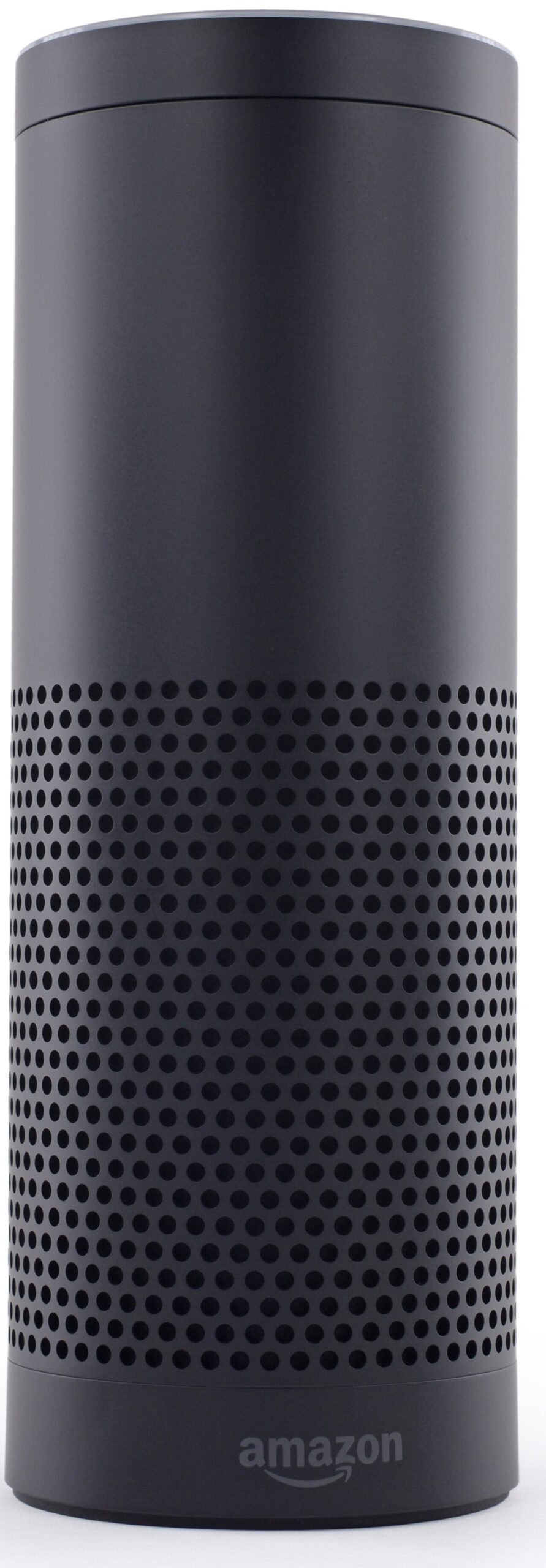
Amazon’s Echo line and Alexa voice assistant have the widest third-party device compatibility of any smart home ecosystem, meaning more smart plugs, lights, and sensors from various manufacturers work with it out of the box. This breadth makes Alexa a reasonable default specifically if you want maximum flexibility to mix and match devices from different brands over time.

Google Nest: tight integration with Google services
Google Nest devices integrate especially well with Google’s broader ecosystem, Google Calendar, Google Photos on a Nest Hub’s display, and Android phones generally. This is the natural choice specifically for a household already deep in Google’s ecosystem for other services.
Philips Hue: the smart lighting standard
Philips Hue is widely considered the most reliable, feature-rich smart lighting system, with broad compatibility across Alexa, Google, and Apple ecosystems alike, a genuine advantage for lighting specifically since it doesn’t lock you into one voice assistant. Its higher price than generic smart bulbs reflects real reliability and feature differences that show up over years of daily use.
Matter: the standard trying to fix the compatibility mess
Matter is a newer, industry-wide standard designed specifically to make smart home devices from different manufacturers work together regardless of which voice assistant or app you use, reducing the historical need to commit rigidly to one ecosystem. Adoption is growing steadily across manufacturers; checking specifically for Matter compatibility on a new device purchase is an increasingly good way to future-proof a smart home setup against ecosystem lock-in.

Comparison
| Ecosystem | Best for | Key strength |
|---|---|---|
| Amazon Alexa | Maximum device compatibility | Broadest third-party support |
| Google Nest | Google ecosystem households | Google services integration |
| Philips Hue | Smart lighting specifically | Cross-ecosystem compatibility |
| Matter-certified devices | Avoiding future lock-in | Cross-brand interoperability |
Building a smart home step by step, not all at once
Start with one genuinely useful device, a smart speaker or a single smart plug, rather than furnishing an entire home with smart devices at once. This lets you confirm the ecosystem fits your actual habits before committing further, and avoids the common outcome of an expensive, half-used smart home setup because the initial plan didn’t match how the household actually lives day to day.
Privacy considerations specific to this category
Smart speakers and cameras raise genuine privacy questions beyond typical software concerns, always-listening microphones and, for cameras, recorded video of your home’s interior. Review each device’s specific data retention and sharing settings, most major platforms allow reviewing and deleting stored voice recordings, and consider physical mute switches (available on most mainstream smart speakers) for moments when you want certainty a device isn’t listening.
Reliability without internet: a real limitation to know about
Most smart home devices depend on an internet connection to function fully, some basic local functions may still work during an outage, but voice commands, remote access, and cloud-dependent automations typically stop working if your internet goes down. For anything safety-critical (a smart lock, a security system), check specifically how a device behaves during an internet or power outage before relying on it as your only solution for that function.
Common mistakes when building a smart home
Buying devices across multiple incompatible ecosystems without checking Matter or cross-platform compatibility first is the single most common source of frustration in this category, resulting in several separate apps that don’t talk to each other. The second common mistake is over-automating too quickly, before understanding how the household actually wants to interact with the devices, leading to automations that get manually overridden so often they stop providing real value.
Automation versus manual control: finding the right balance
The appeal of a smart home is often automation, lights that turn on at sunset, a thermostat that adjusts on a schedule, but over-automating everything can leave household members feeling like they’ve lost simple manual control over their own environment. A good rule of thumb: automate genuinely repetitive, predictable routines, and leave manual control (a voice command, an app, or a plain physical switch) easily available for everything else rather than automating for its own sake.
Voice assistant accuracy and its practical limits
Voice recognition across all major platforms has improved substantially, but background noise, accents, and ambiguous phrasing still occasionally trip up even the best systems. This is a normal, expected limitation rather than a sign a specific device is defective; most repeated misunderstandings come down to microphone placement or ambient noise more than the underlying voice assistant’s core capability.
Related reading
Back to the full tech gadgets buying guide, our guide to best smartwatches and wearables, which often integrates with the same ecosystem, and AI ethics and privacy for the broader data privacy picture these devices raise.
Frequently asked questions
Do I need to pick one ecosystem and stick with it forever?
Less than in the past; Matter’s growing adoption means a well-chosen, Matter-certified device increasingly works across ecosystems rather than locking you in permanently. It’s still worth checking compatibility before buying, but the lock-in risk has genuinely decreased over time.
Are smart home devices worth the cost for a renter, not a homeowner?
Many smart home devices (plugs, bulbs, portable speakers) are fully compatible with renting since they don’t require permanent installation, while others (certain smart locks or built-in lighting) may need landlord permission or aren’t practical to bring when you move. Prioritize the portable, non-permanent options specifically if renting.
How much does a basic smart home setup cost to start?
A single smart speaker and a couple of smart plugs represent a genuinely modest starting investment, well below what a fully automated whole-home setup costs. Start small and expand only once you’ve confirmed the initial devices actually fit your routine.



[…] Best Smart Home Devices to Automate Your House […]